

Trip Identifier

Know if the trip is worth it — before you accept

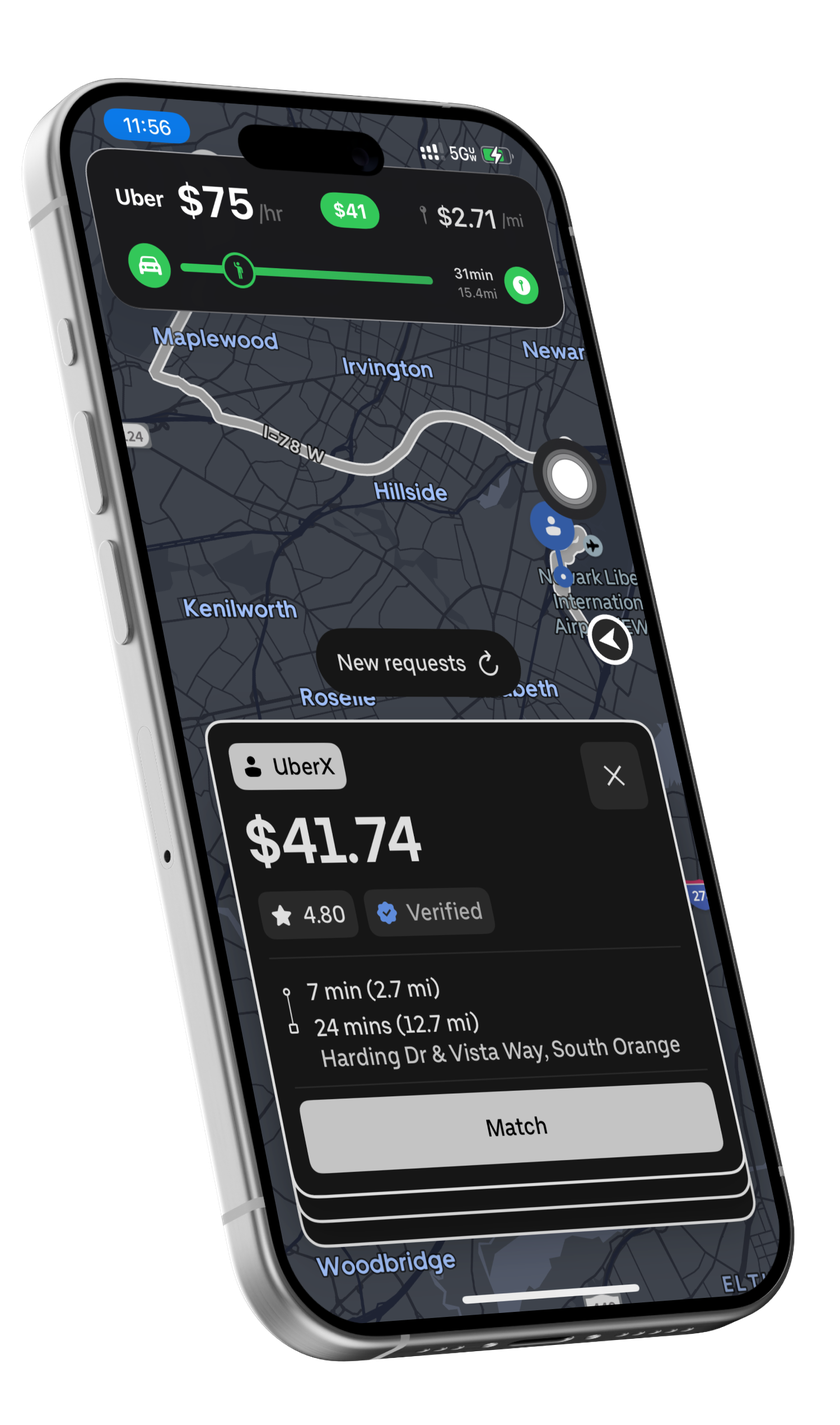
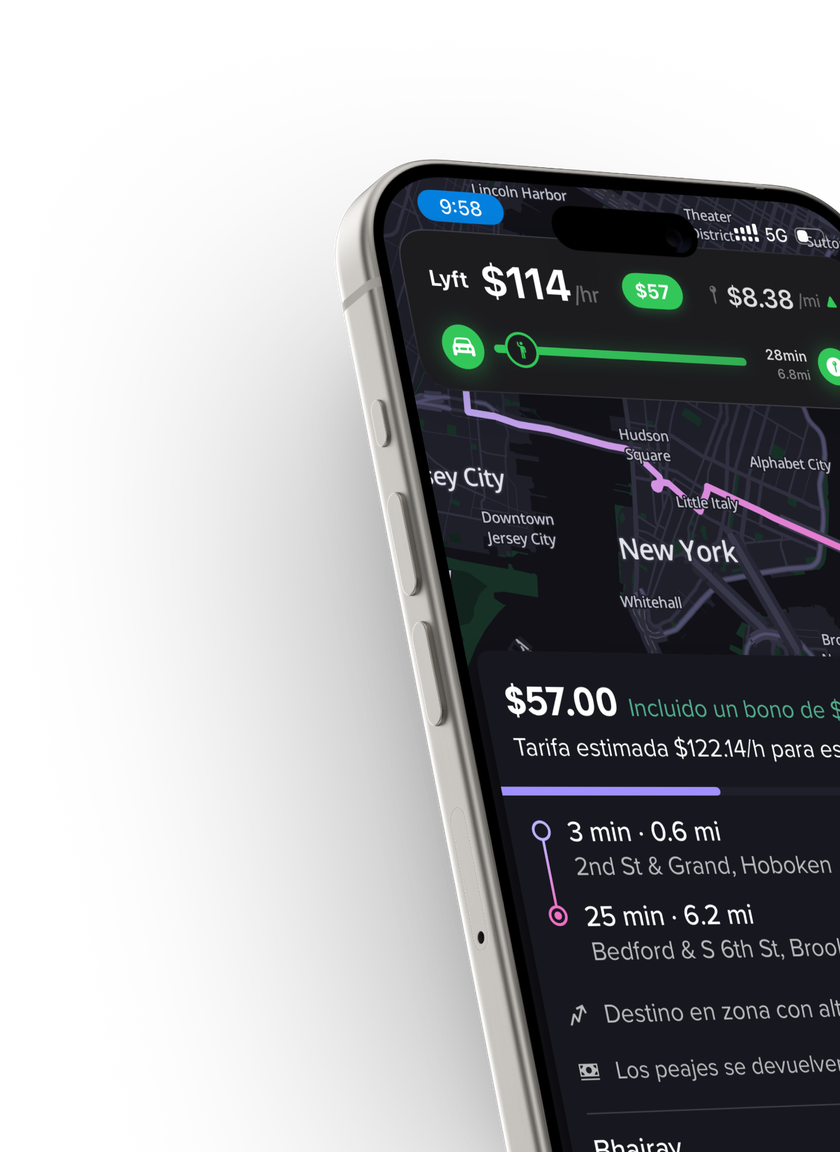
An offer pops up. You tap one floating button. In under a second, GigReal shows the offer's real pay per hour and per mile — green, yellow, or red against the bar you set.

Try free for 14 daysIncluded with Premium & Premium Pro
Screenshot: Trip Identifier Live Activity over an Uber offer

What is Trip Identifier?

Trip Identifier is a GigReal feature that analyzes a gig offer while it's still on your screen and tells you the offer's true earnings per hour and per mile — compared against minimums you choose. The analysis happens entirely on your iPhone, takes under a second, and your screenshot never leaves the phone.

See it work — a real offer

This is a real UberX offer in New Jersey. Trigger Trip Identifier the way a driver would and watch the verdict land while the offer is still on screen.

GigReal Trip Identifier verdict: $67/hr, $29, $2.92/mi
1
The offer pops up$29.21 for 24 minutes and 10 miles, pickup included. Worth it? The countdown is running.
2
Tap the AssistiveTouch buttonOne floating button, no app switching. Tap it on the phone to try it. (Back Tap works too.)
3
The verdict lands in under a secondA Live Activity over the offer: $67/hr · $2.92/mi — green. Way above the default bar ($45/hr · $1.50/mi). Take it.
Verdict: take it$67/hr and $2.92/mi clear your bar with room to spare — and the trip lands in your earnings automatically if you take it.
↺ Reset the demo

Analyzed on the phone, from the screen you're already looking at. Your thresholds decide what counts as green.

How to read the verdict

Every piece of the Live Activity, in driver terms — each chip below is the real element from the bar.

GigReal Trip Identifier Live Activity
Uber labelThe platform. Which app's offer GigReal just read.
$67 per hourYour true hourly. Pay divided by every minute the trip really takes — pickup drive included. The number the platform never shows you.
$29 offer payThe offer's pay. What the trip pays in total, as shown on the offer.
$2.92 per milePay per mile. Every mile you'll drive counted, pickup included — hold it against what a mile costs your car.
Route start: your carYou, right now. The route starts at your car.
Pickup point on the routeThe pickup. Where the rider stands along the route — the closer to the left, the shorter your unpaid pickup leg.
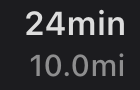
24 minutes, 10 miles totalThe full commitment. Total time and miles for both legs — pickup plus trip.
Drop-off pointThe drop-off. Where the trip ends.
And the color is the answer:clears your bar — take itclose — your callbelow your bar — let it gocouldn't read it — no guessing

How it works

1An offer pops upUber, Lyft, or DoorDash — the clock is ticking.
2Tap AssistiveTouchOne-time setup puts the Analyze Trip Shortcut on the AssistiveTouch button — or on Back Tap if you prefer.
3Read on your phoneThe offer is read privately on your iPhone — no upload, no waiting on a server.
4Get the verdictA Live Activity shows real $/hour and $/mile, color-coded against your bar.
Green — clears your per-hour and per-mile bar. Take it.
Yellow — close to your minimums. Judgment call.
Red — below your bar. Let it go.
Gray — couldn't read enough to be sure, and it tells you why.

You set the bar

Verdicts are measured against your thresholds, not ours.

Minimum per hour$45 default
Minimum per mile$1.50 default
Count pickup time & milesYour call
Count speculative tipsYour call
Per-hour expense deductionTrue net
Delivery time buffersAdjustable
Airport mode — terminal wait & return-trip oddsOptional

Private by design

The whole analysis runs on your iPhone — no network call, no server. Your offer screenshot never leaves your phone, and the answer lands in under a second.

?

Honest about uncertainty

Every verdict carries a confidence score. If the screenshot is missing pay, pickup info, or duration — DoorDash often shows no time, so it gets estimated — the confidence drops and the verdict tells you exactly why. No fake certainty.

Where it works today

Uber — English & Spanish offersAvailable
Lyft — English & Spanish offersAvailable
DoorDashBeta
Walmart SparkBeta
Uber EatsBeta

US offers today — Trip Identifier is the first feature going international. Join the waitlist.

Part of the Smart Capture family. The same double-tap also captures earnings screens and receipts into your ledger — and every offer you analyze feeds your dashboard, so your accepted trips build your real pay history automatically.

Explore Smart Capture →

Trip Identifier questions

How do I trigger Trip Identifier?+

One-time setup: install the Analyze Trip Shortcut and put it on the AssistiveTouch floating button in your iPhone settings. From then on, one tap while an offer is on screen runs the analysis — no app switching. Prefer a gesture? You can bind the same Shortcut to Back Tap instead.

Does my offer screenshot get uploaded anywhere?+

No. The screenshot is read privately on your iPhone — there's no network call and nothing is uploaded. The screenshot never leaves your phone; only the trip details you choose to save land in your account.

How fast is it?+

Under a second from trigger to verdict — fast enough to decide while the offer countdown is still running.

What do the colors mean?+

Green clears both your per-hour and per-mile minimums. Yellow is close — a judgment call. Red is below your bar. Gray means GigReal couldn't read enough of the offer to be confident, and the verdict lists exactly what was missing.

Can I make it show my true net instead of gross?+

Yes — set a per-hour expense deduction in the thresholds and every verdict is computed on net earnings. You can also choose whether pickup time and speculative tips count, add delivery time buffers, and turn on airport mode to factor in terminal wait and return-trip odds.

Which platforms and plans?+

Uber and Lyft offers work best today, in English and Spanish. DoorDash, Walmart Spark, and Uber Eats are in beta. Trip Identifier is included with Premium and Premium Pro.

Stop guessing at red lights.

Set your bar once. Every offer gets measured against it — before you accept.

Try free for 14 days